
goGPS Drive in this scenario
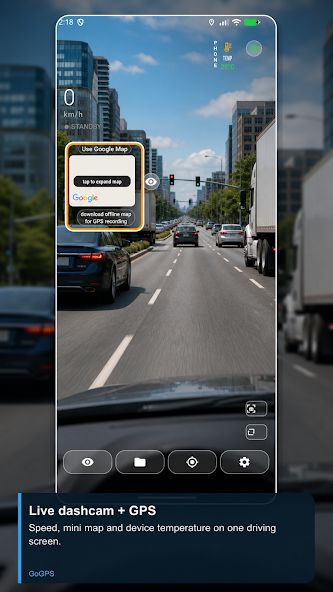
goGPS Drive uses a securely mounted Android phone to record road video. Files are split into selected-duration segments; enable GPS to review the route and trip history later. Local video and GPS recording can work without mobile data. Accident lock separately protects supported event recordings.
Step-by-step setup
- Mount the phone without blocking your view and grant camera and location permissions.
- Prepare quality, GPS and storage settings before driving.
- Optionally configure Bluetooth startup and test it while parked.
- After driving, open videos and routes in Recordings. Share or back up the files you need.
Before you start
Dual-camera support depends on the phone. Check power, temperature and free space during long sessions. Do not interact with the phone while driving.
Setup checklist
- What you need
- A compatible Android phone, a secure mount and free storage. Video needs camera permission; route recording needs location permission.
- Connection and access
- Local video and GPS recording can work offline. Download the map in advance. Drive uploads need internet; driving videos are silent.
Check that it works
Make a short recording while parked. Open it in Recordings and confirm that route data is created if GPS recording is enabled. If using automatic start, separately test the Bluetooth connection or charging trigger.
If something does not work
If recording stops, check free space, temperature, power and Android background restrictions. Not every phone supports simultaneous front and rear cameras. After the trial, free camera and GPS recording are each limited to 20 minutes per day.
See the app
Official video on this topic
Open the video on YouTubeFeature descriptions checked against the app source code on 30 October 2026; verify device and release compatibility on Google Play.