
goGPS Drive in this scenario
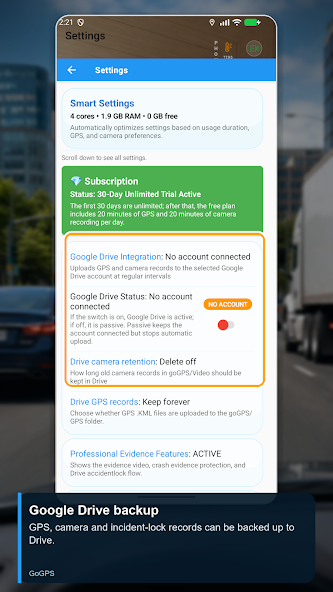
goGPS Drive helps organise driving video and GPS history. When Google Drive backup is enabled, eligible video and GPS files can be uploaded to your account. Test uploads while connected; regular recordings and accident-lock videos have separate retention rules.
Step-by-step setup
- Connect your Drive account and enable backup.
- Choose GPS uploads and separate retention periods for normal and accident-lock videos.
- Make a test upload and verify that the file opens in your account.
- Confirm important copies are accessible before managing local storage.
Before you start
Drive capacity and connectivity affect uploads. Local and cloud recordings have separate retention rules.
Setup checklist
- What you need
- A Google Drive account connected to the app, free space in the account and a test recording on the device.
- Connection and access
- Making a local recording and uploading it to Drive are separate operations. Uploads require internet and an active Drive connection.
Check that it works
Create a GPS or video recording. After the upload interval, open Drive with the same Google account and confirm the file is accessible. Seeing a local recording alone does not confirm that its cloud copy is complete.
If something does not work
If the file is missing, check the Drive account, connection status, internet and account capacity. Review GPS upload preferences separately from normal-video and accident-lock retention rules. Open important backup files before deleting local recordings.
See the app
Official video on this topic
Open the video on YouTubeFeature descriptions checked against the app source code on 30 October 2026; verify device and release compatibility on Google Play.